Bout Time Software, Available Public Tutorials
One major benefit with these tutorials is if you start viewing one tutorial, then you choose to view another tutorial, if you return to the tutorial you looked at previously, whatever page you were up to, it will still be on that page. This is only relevant while you are on the Tutorial Page. if you navigate away from the tutorial section and return, all tutorials will be reset to page 1.
 |
|
 |

Please select a Tutorial by clicking on a picture from the above slide display. The tutorial will be displayed here in this section.
 Download this Tutorial
as a PDF file
This Tutorial was last Updated on Friday, 14th of October 2011
|
The Tutorial Picture Description | |||
|
|




 Download this Tutorial
as a PDF file
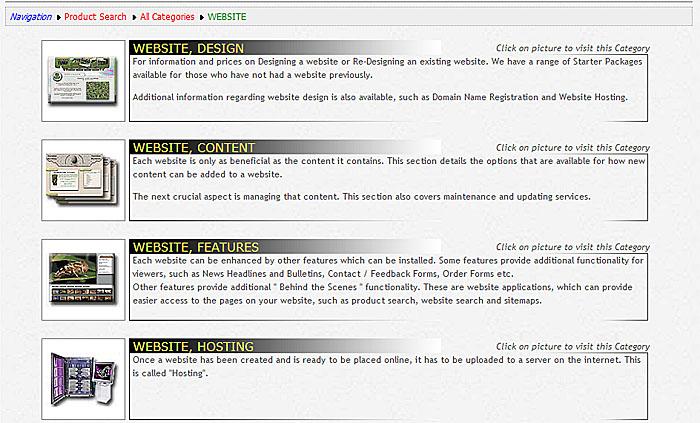
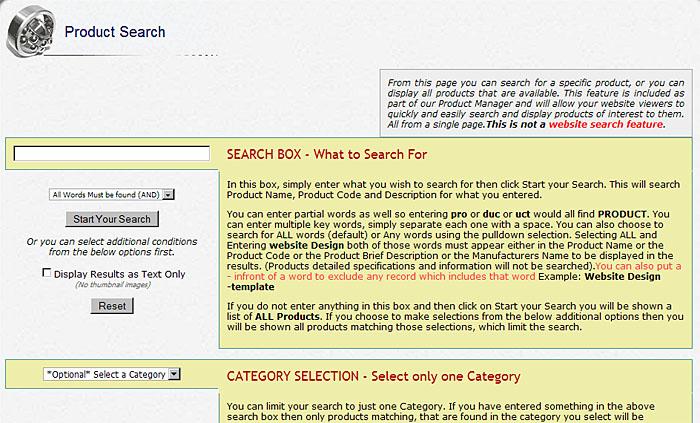
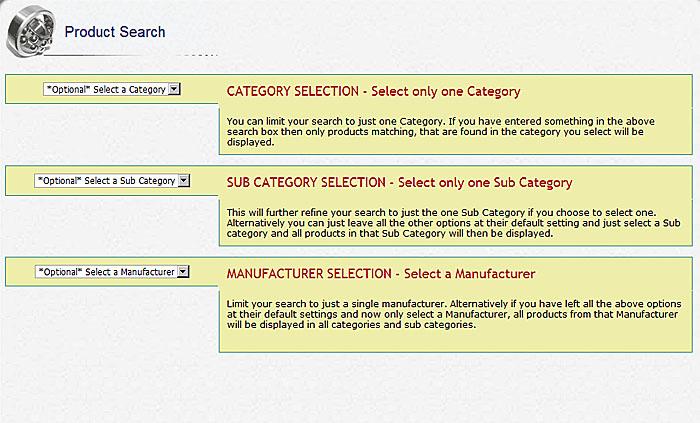
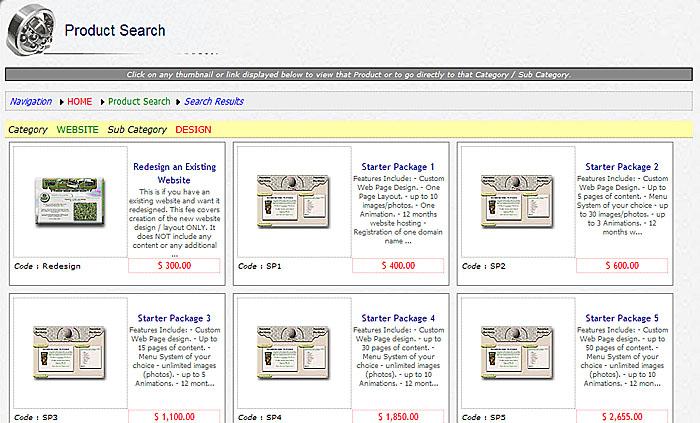
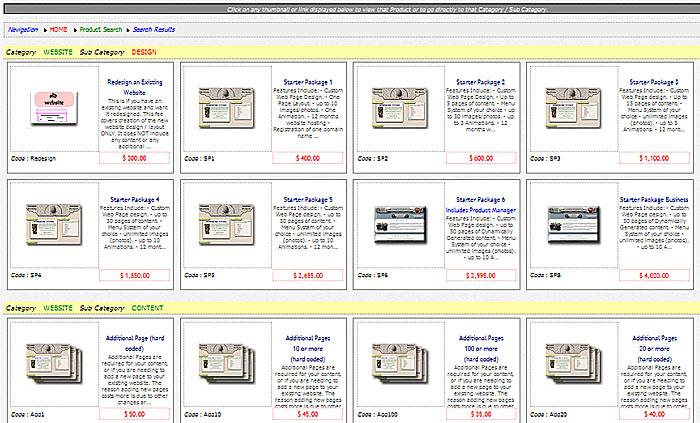
The Product Search is like an advanced website search feature, designed specifically for products. With it you can search using keywords, limit your search to a specific product Category, or limit your search to a specific product Sub Category, or limit your search to a specific Manufacturer.
You can also choose to apply just one of those search limits, some of them, or all of them. This is ideal if you wish to display all products available from a specific manufacturer. That way you do not have to manually check through every category or sub category. The Product Search will put all of that manufacturers products on a single page for you.
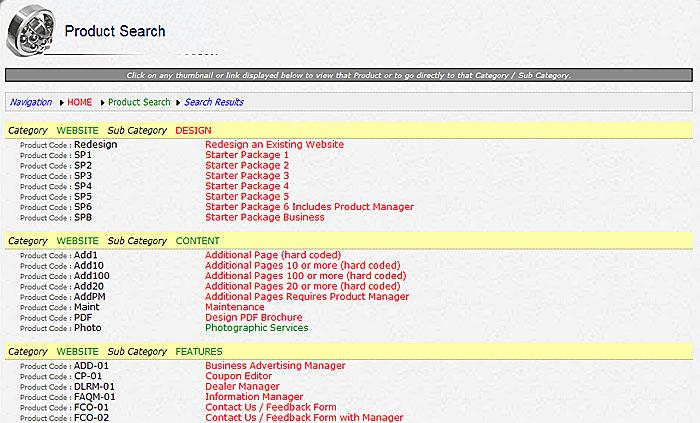
You can also choose to view as a text list (no thumbnail pictures), making it even faster.
This Tutorial was last Updated on Friday, 14th of October 2011
|
The Tutorial Picture Description | |||
|
|
Download this Tutorialas a PDF file
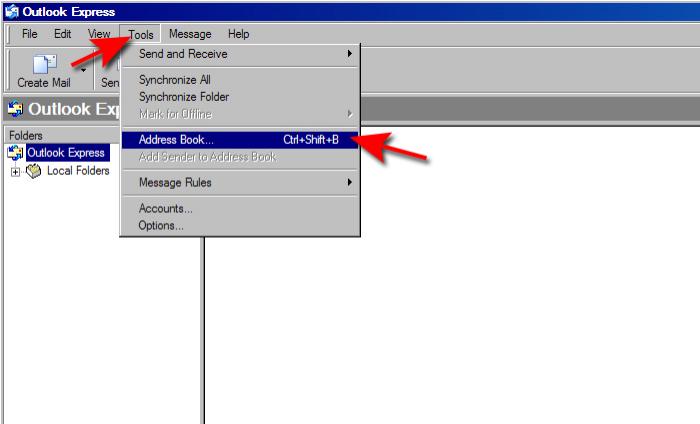
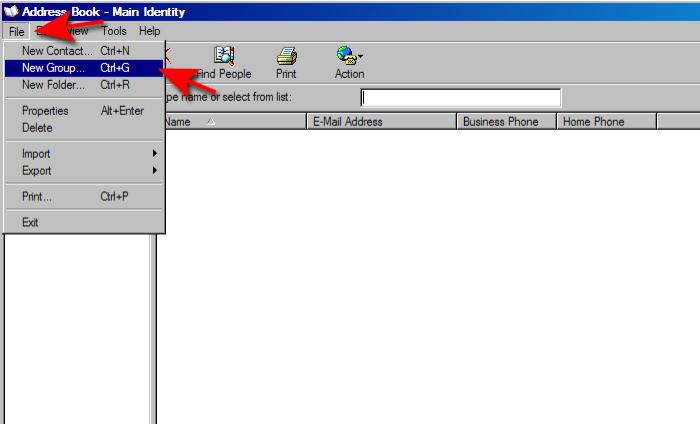
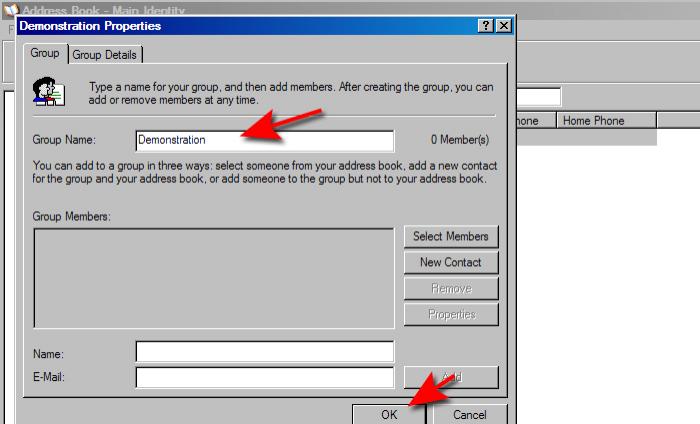
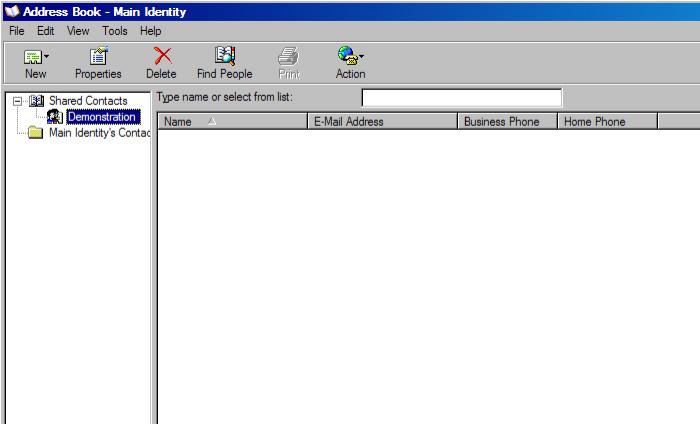
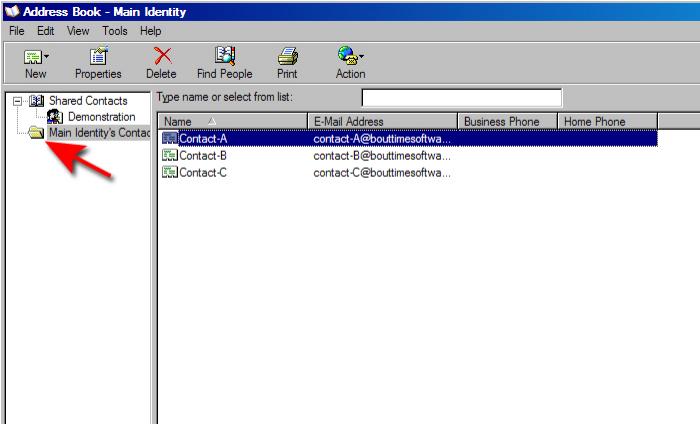
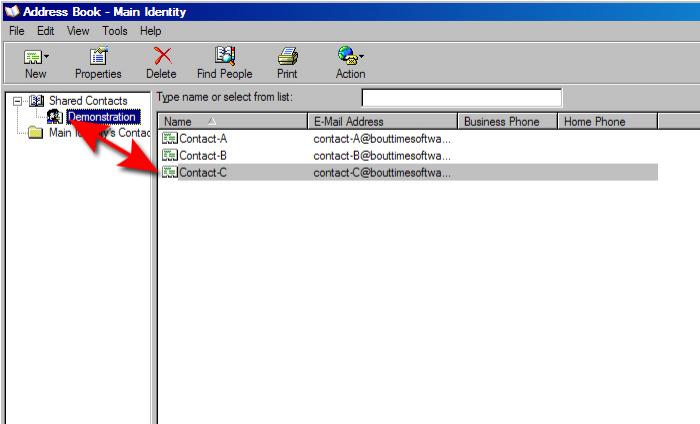
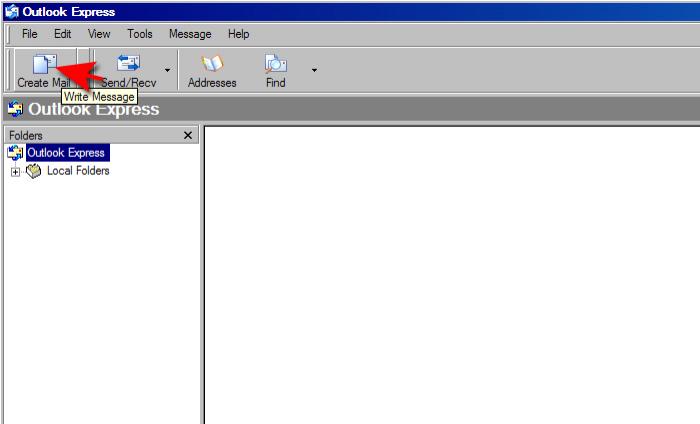
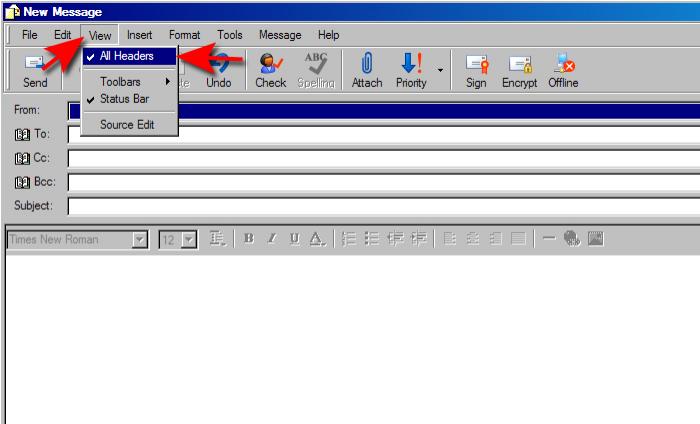
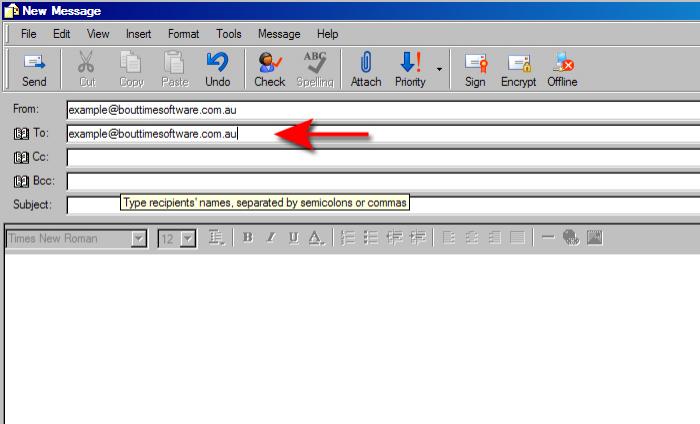
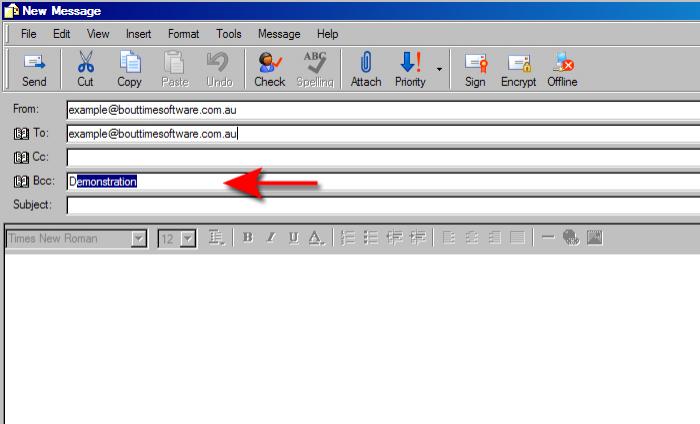
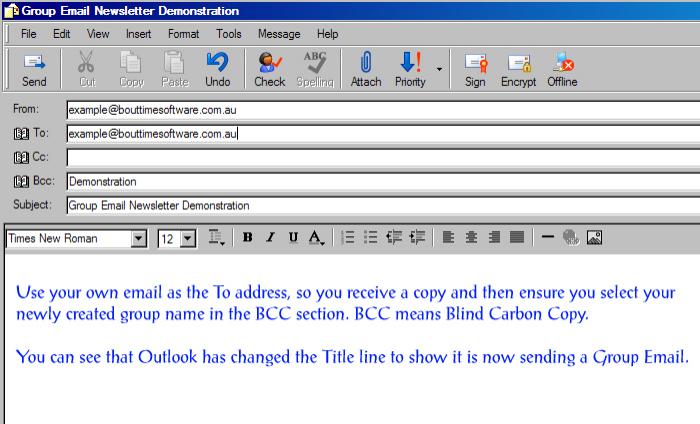
This tutorial assumes that Outlook is configured correctly on your computer and that you have an email account configured so that you can send and/or receive email. It does not include information on how to setup Outlook.
This Tutorial was last Updated on Tuesday, 21st of February 2012
|
The Tutorial Picture Description | |||
|
|
Download this Tutorialas a PDF file
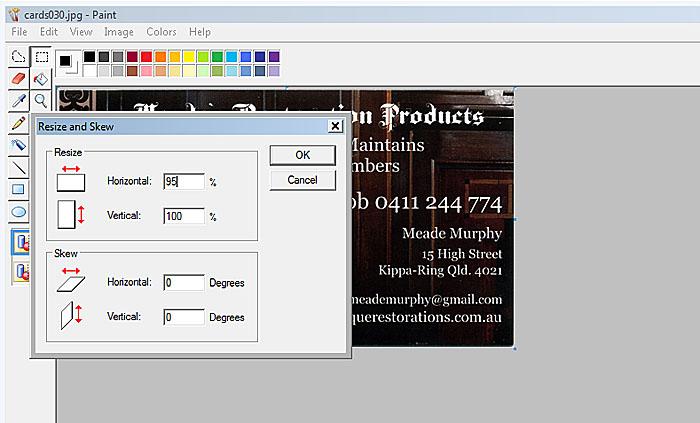
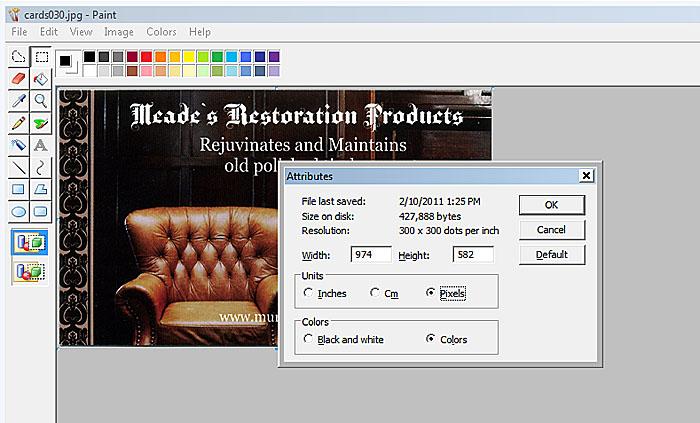
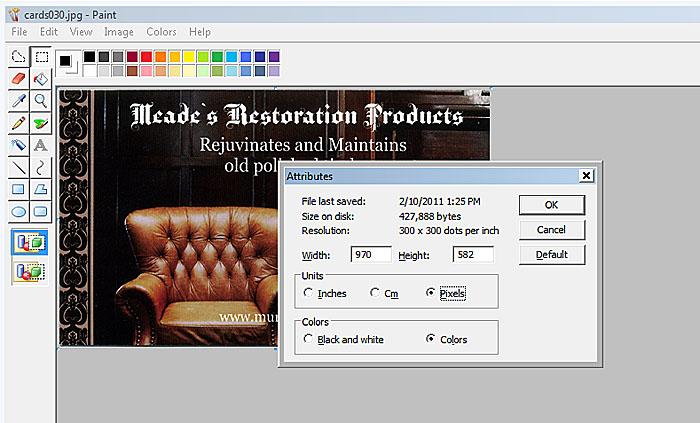
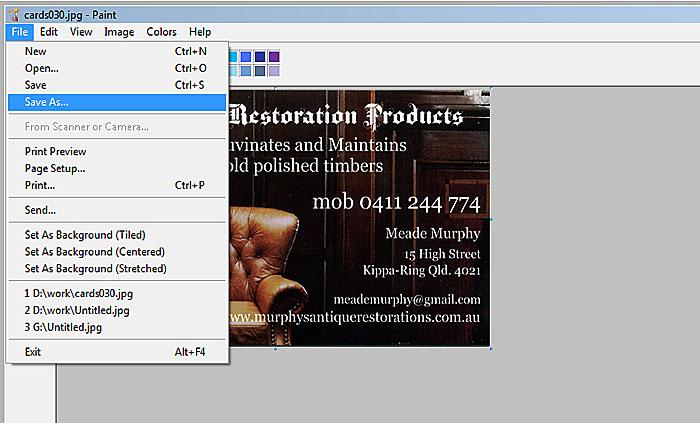
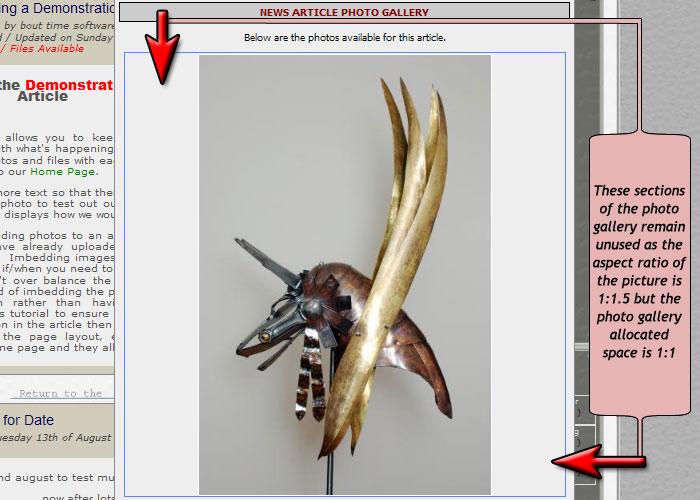
Our Image Manager will resize the image the best it can, but to ensure your pictures look correct (not stretched or squashed) it will retain the original aspect ratio. This means that your picture may not use the full space available when being viewed. We suggest that you take a few minutes to understand just how important the Aspect Ratio is and ensure that all pictures you upload are in the optimum Aspect Ratio.
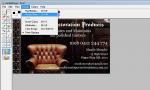
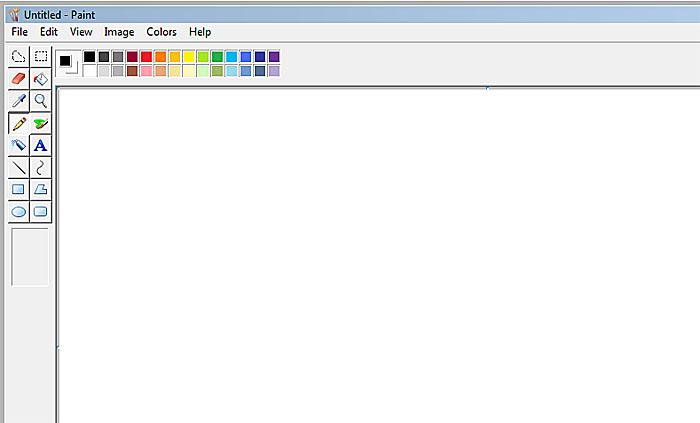
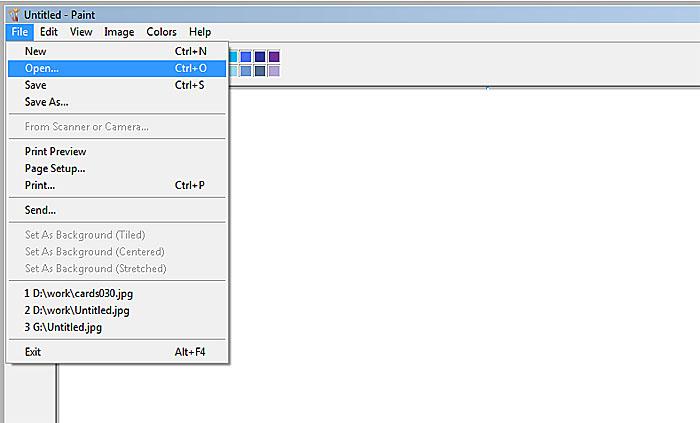
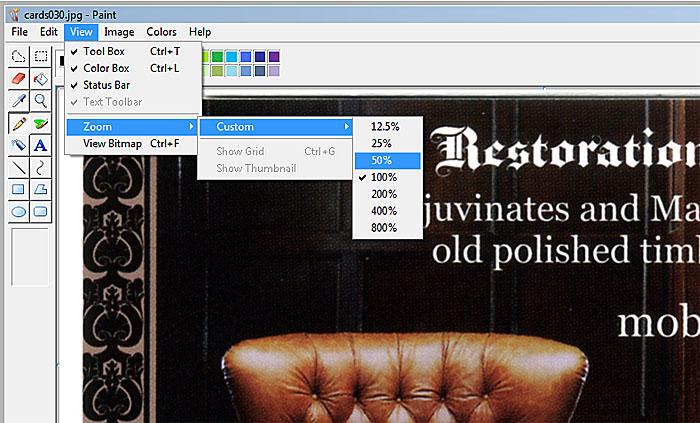
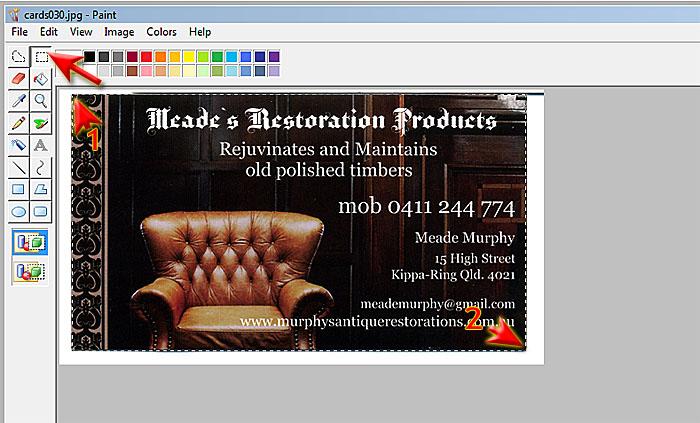
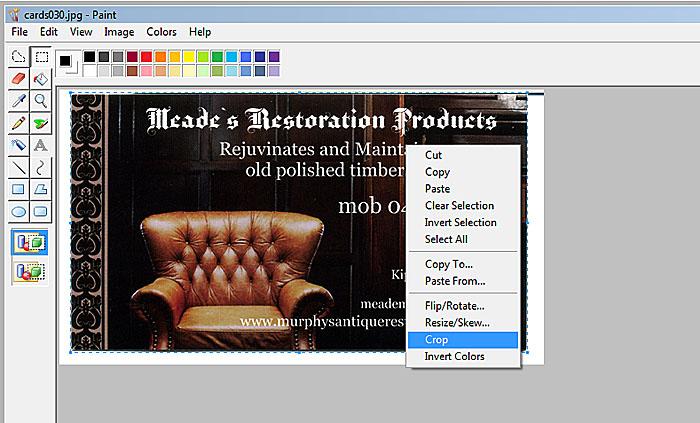
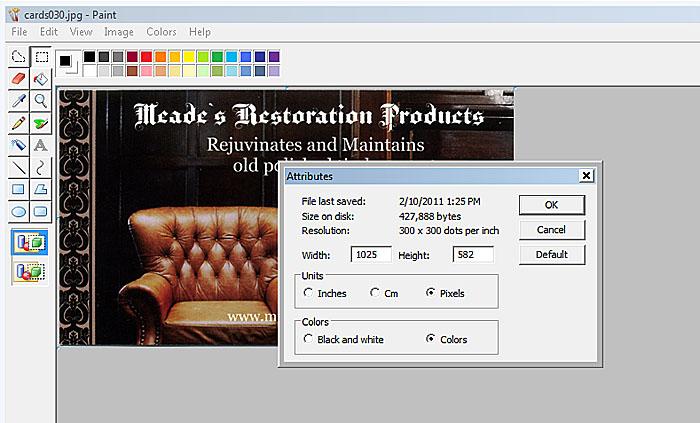
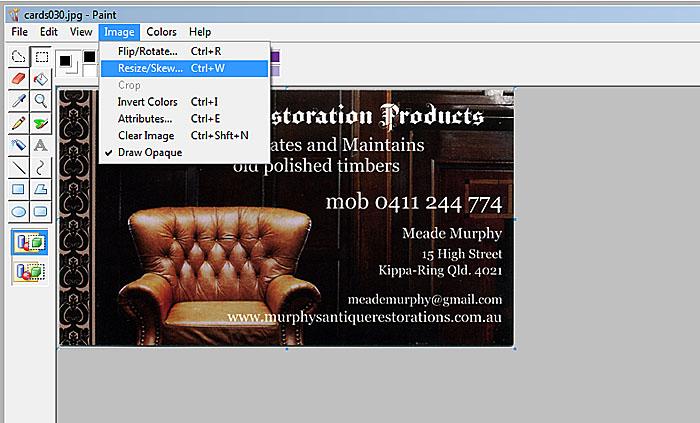
This tutorial will demonstrate taking a scan of a business card for use with your Trader / Advertising Manager. Therefore we need the image to be in 5:3 aspect ratio. (1.6667 : 1).
This Tutorial was last Updated on Friday, 14th of October 2011
|
The Tutorial Picture Description | |||
|
|
Download this Tutorialas a PDF file
So what are the alternatives?
Create a Signature
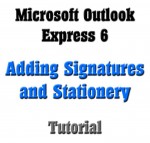
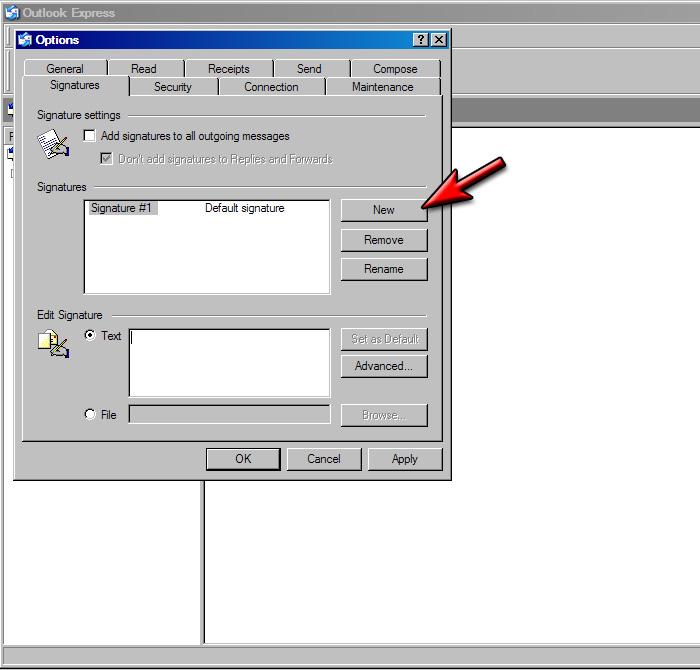
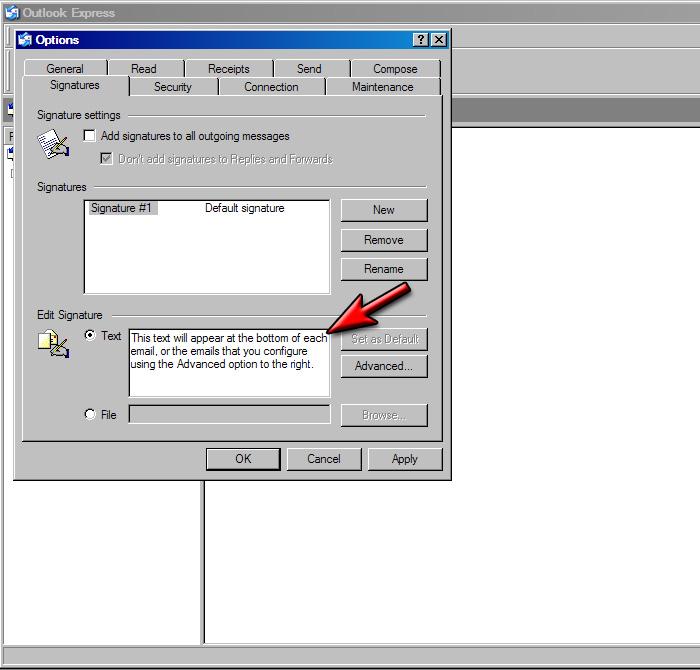
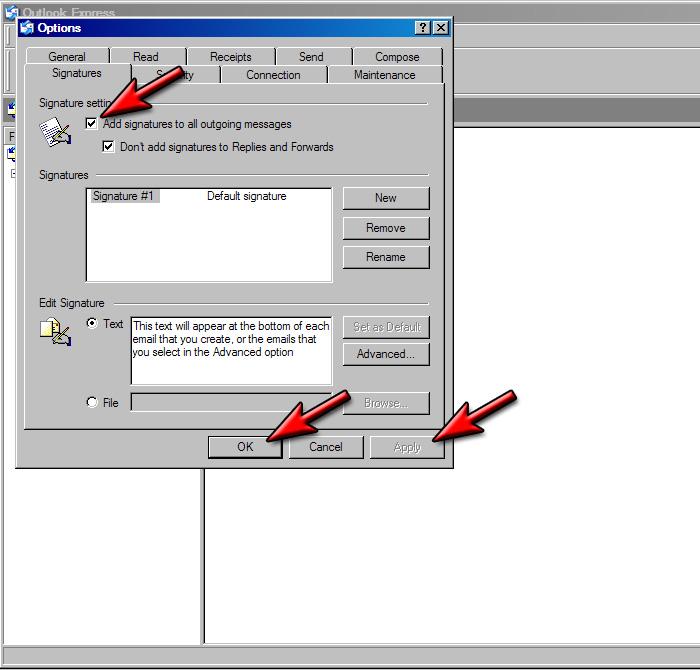
Microsoft Outlook Express 6 allows for basic signatures to be added. They can include text and links, but don't allow for much formatting beyond that.
They are fine if you wish to include text, such as your business name, phone number and other contact details.
Create Stationery
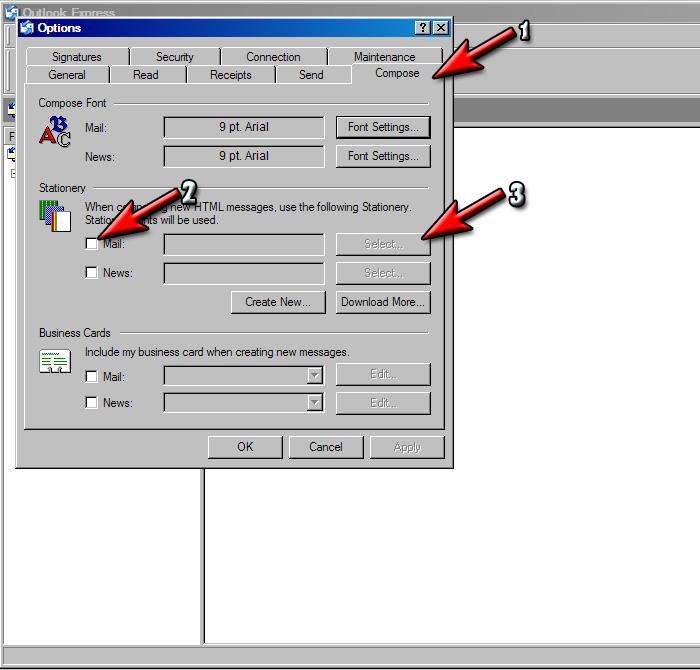
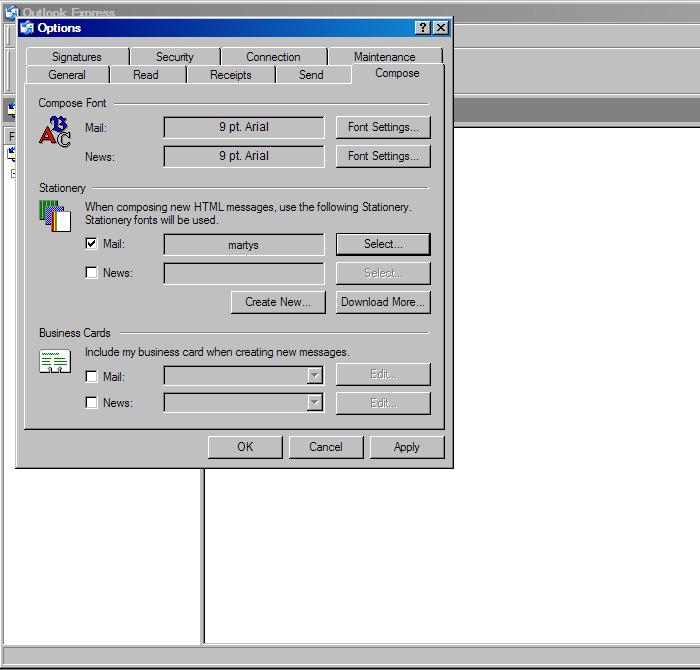
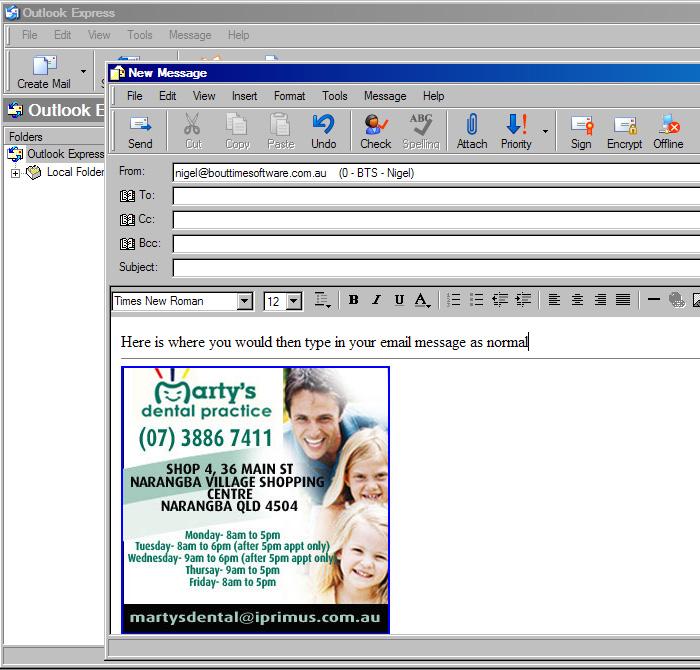
Stationery allows you to create and format another document that is then appended to each email you create. This allows for much greater flexibility and provides you the ability to include pictures and different text colours.
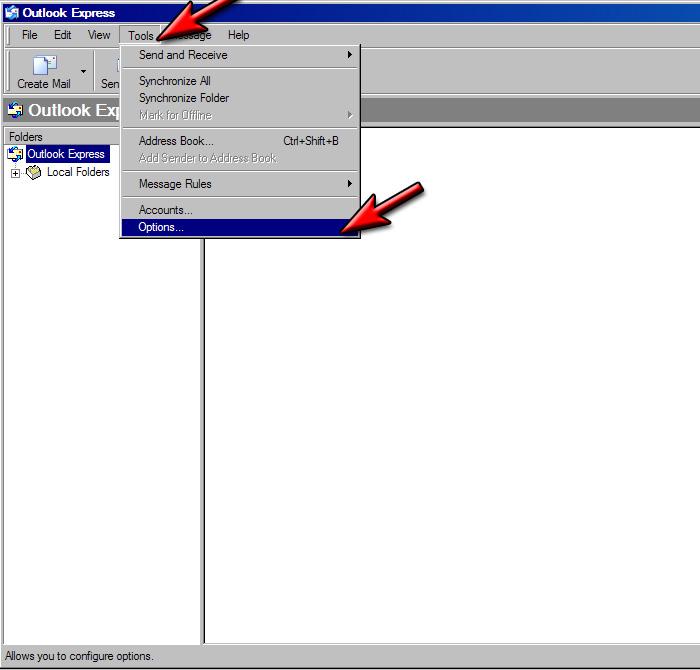
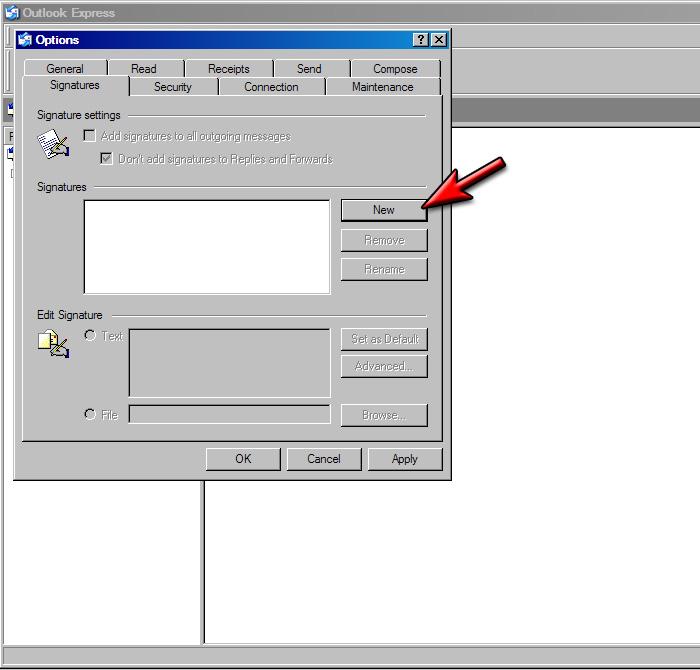
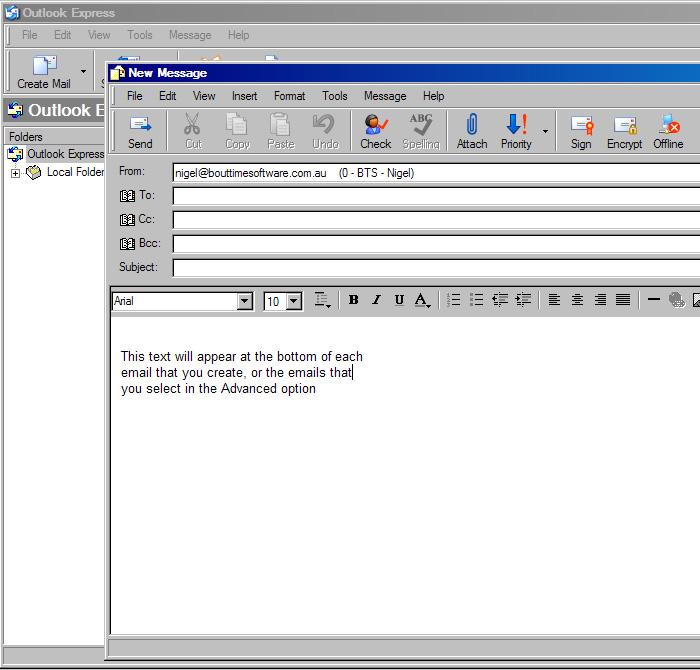
This basic tutorial will show you how to create a text signature and then how to add stationery (that is in the form of a HTML file).
This Tutorial was last Updated on Friday, 30th of August 2013
|
The Tutorial Picture Description | |||
|
|
Download this Tutorialas a PDF file
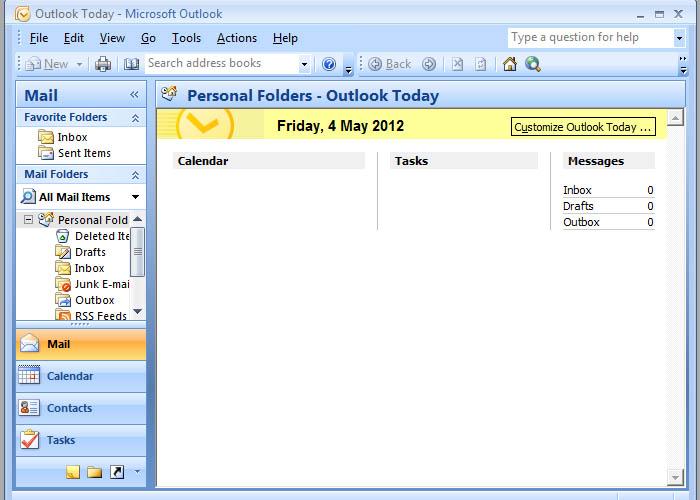
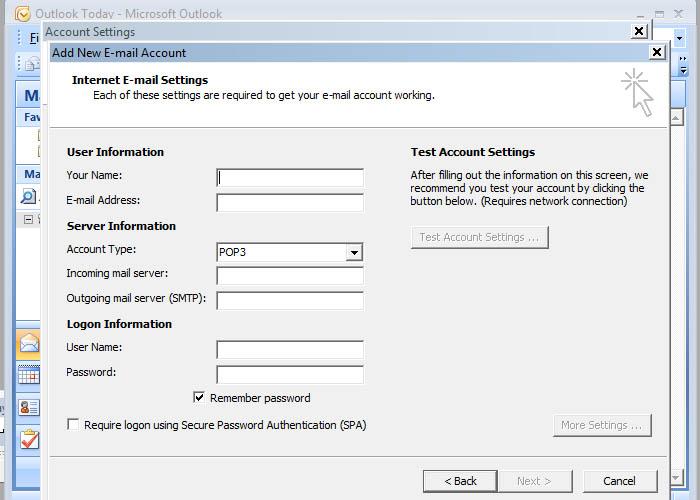
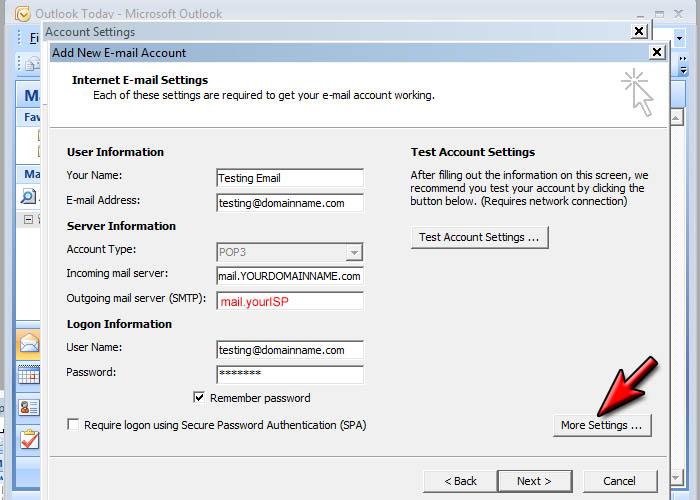
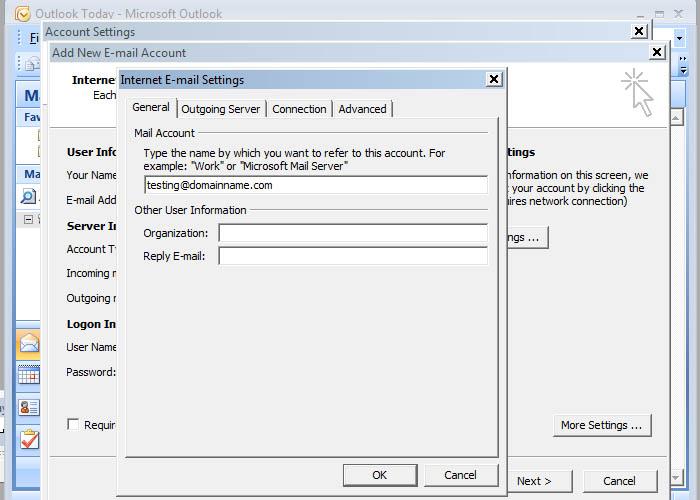
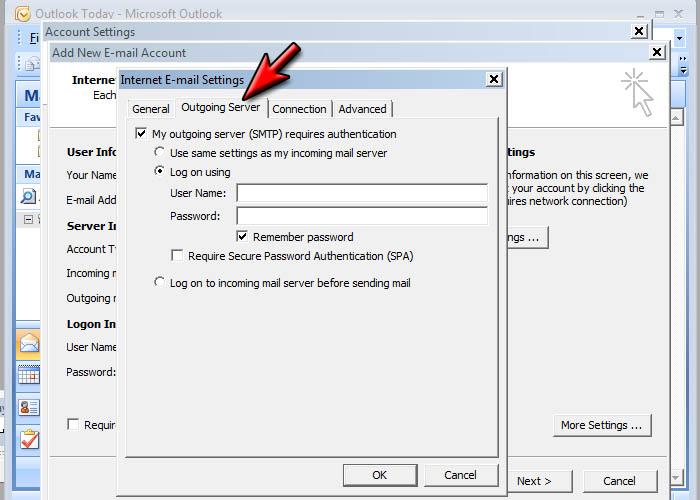
This tutorial assumes you know the domain name for your website and that Microsoft Outlook 2007 is installed and configured correctly on your computer and that your internet connection is working.
This Tutorial was last Updated on Saturday, 9th of June 2012
|
The Tutorial Picture Description | |||
 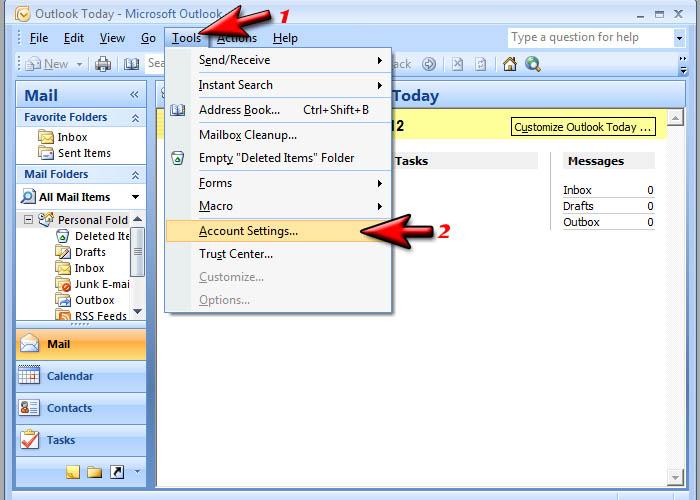 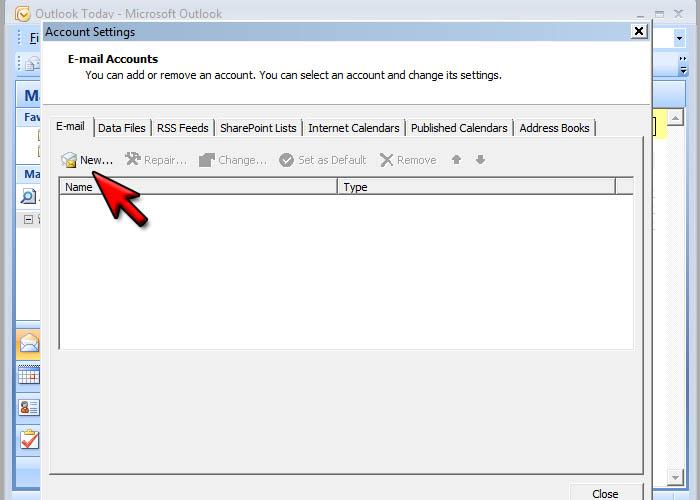 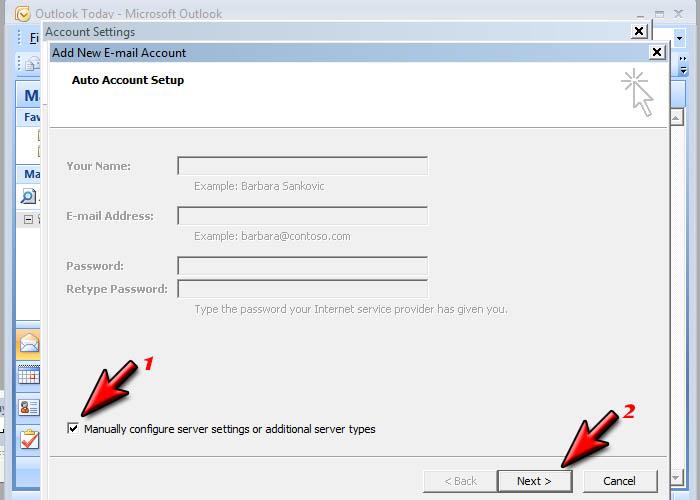 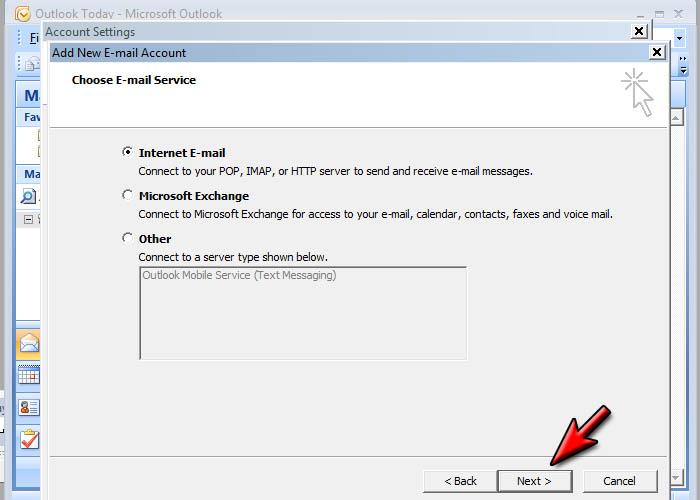     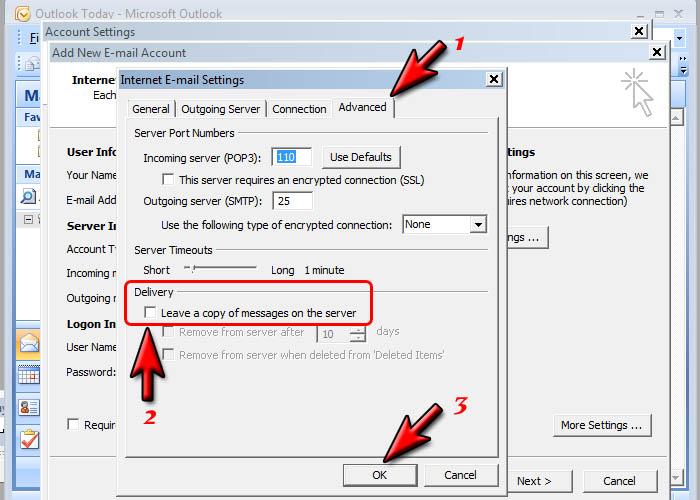 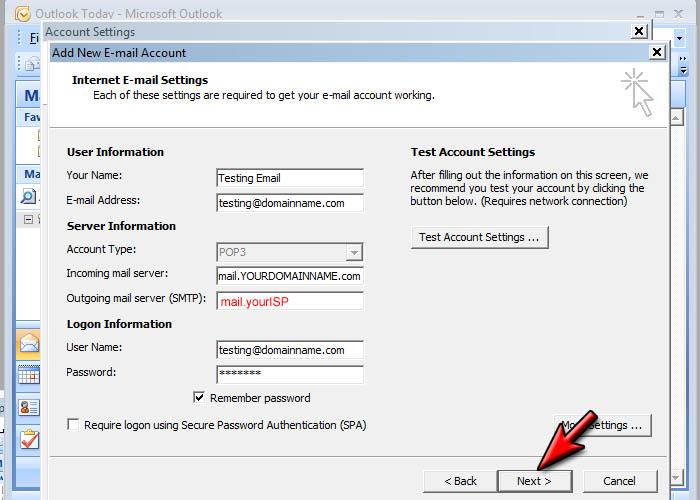 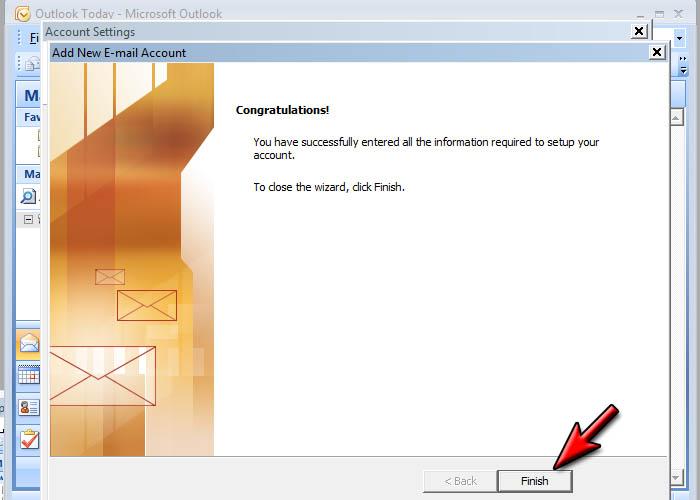 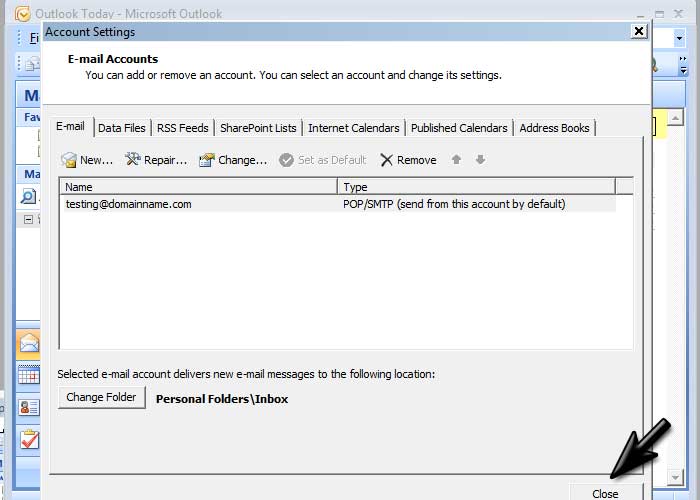
|
|
Download this Tutorialas a PDF file
It does not matter what units of measure you work in, the aspect ratio will remain constant. You could use inches, mm, points or pixels.
The main point is whatever space is allocated to display picture, to ensure you use all of that space efficiently you need to make sure the pictures are in the correct aspect ratio before you upload them.
Our applications will preserve the aspect ratio of all pictures you upload. This is to guarantee the image will be displayed accurate and not squashed or stretched.
This Tutorial was last Updated on Wednesday, 28th of August 2013
|
The Tutorial Picture Description | |||
|
|